

Know which count to trust before you touch a budget.
GA4 calls it a key event and Google Ads calls it a conversion, and both are a tag's count of the same action. Your lead sheet is the record, and this page shows you when to read each one.

What is a GA4 key event?
A key event is an event you marked in GA4 as worth counting on its own. GA4 records an event for almost everything a visitor does on your site: page views, scrolls, clicks, form submissions. Most of that is activity. Mark one of those events, say form_submit or generate_lead, as a key event and GA4 counts it separately, reports it on its own, and lets Google Ads import it as a conversion.
Two things follow. A key event exists only if a tag on your page fired it. It is a count: submit a form twice and GA4 counts two key events, let the tag fail and it counts none. That makes it measurement, not a record. The rest of this page is about that difference.
From activity to a key event
- page_view
- scroll
- click
- form_submit
- Counted and reported on its own in GA4
- Imported by Google Ads as a conversion
Why does GA4 say key events while Google Ads says conversions?
Google renamed them in 2024. The word conversion in the GA4 reporting interface became key event, and conversion was kept for the events Google Ads also uses. The aim was one meaning across both products: a conversion is an action Google Ads attributes to an ad and bids toward. Import a key event into your Ads account and it becomes an Ads conversion. From then on Ads counts it under its own attribution rules, so expect the two totals to differ.
The rename stopped at the interface. The Google Ads API still reports the metric as conversions, and the GA4 Data API still answers to the older metric name, conversions. TruLata reads both through those APIs, so the same count can arrive under two labels depending on which door it came through. Each view tells you which door: the analytics view reads GA4, the ads view reads Google Ads, and each says so in its caption.
One action, three labels
- GA4 reportscalled it a conversion
- GA4 interfacerenamed it a key event
- Google Adsinterface and API both say conversions
- GA4 Data APIstill answers to conversions
Is a key event the same as a lead?
A key event is a tag's claim that something happened; a lead is a form your website received. On a site we build, the form handler emails your team and appends the submission to your lead sheet on the server in the same request, before the browser reaches the thank-you page. That row exists whether or not any tag on the page loaded. GA4 learns about the same submission only if the browser ran the tag and the tag fired the event, and either step can stop working after a site change without anyone noticing.
Treat the two counts as related, not equal. When the sheet holds rows the tag missed, the tag is wrong, not the sheet. A phone call is not a key event unless a tap on your number fires one; TruLata counts a phone lead where your CRM records it, and where you run a call-tracking platform with an API it is connected during setup. Use key events to ask what your traffic did. Use the sheet to decide whether a campaign produced customers. Lead source tracking covers where the record of a lead comes from.
A key event
- A tag's claim that something happened
- Exists only if the tag fired
- The tag fails, it counts none
A lead
- A form your website received
- Appended server-side before the thank-you page
- There whether or not any tag loaded

When the sheet holds rows the tag missed, the tag is wrong, not the sheet.
How do I know the day the tag stops counting?
A watch compares all three every morning. On an instance whose forms feed the lead sheet, it runs at 7:20 Eastern and reads the sheet, the form_submit and generate_lead events GA4 recorded, and the conversions Google Ads recorded against the web lead action, plus the live pages and Search Console for two of its checks. Five checks run. Loader confirms the Google tag still loads and the conversion label is still on the page. Blind fires when leads landed in the sheet and GA4 recorded zero form events. Ads blind fires when leads arrived from a paid click and Ads recorded zero conversions. Stalled fires when a campaign that was reliably spending went to zero. Silent fires when organic search traffic continues and no leads arrive at all.
The comparison is the point. A tag can stop counting after a site change while your forms keep receiving leads, so the sheet stays right and the measurement reads zero. Checking the leads that landed against the conversions Google counted every morning turns that into a flag the next day rather than a discovery at the end of the quarter, and the loader check catches a missing tag on the first morning. Read the sheet first and treat the tag as the thing being tested, so a budget decision rests on the count your own forms produced. The leads ledger shows the sheet.
- LoaderThe Google tag still loads, the conversion label is still on the page
- BlindLeads landed in the sheet, GA4 recorded zero form events
- Ads blindLeads from a paid click, Ads recorded zero conversions
- StalledA campaign that was reliably spending went to zero
- SilentOrganic search traffic continues, no leads arrive at all
Read the sheet first and treat the tag as the thing being tested.
Which count do I read on the dashboard?
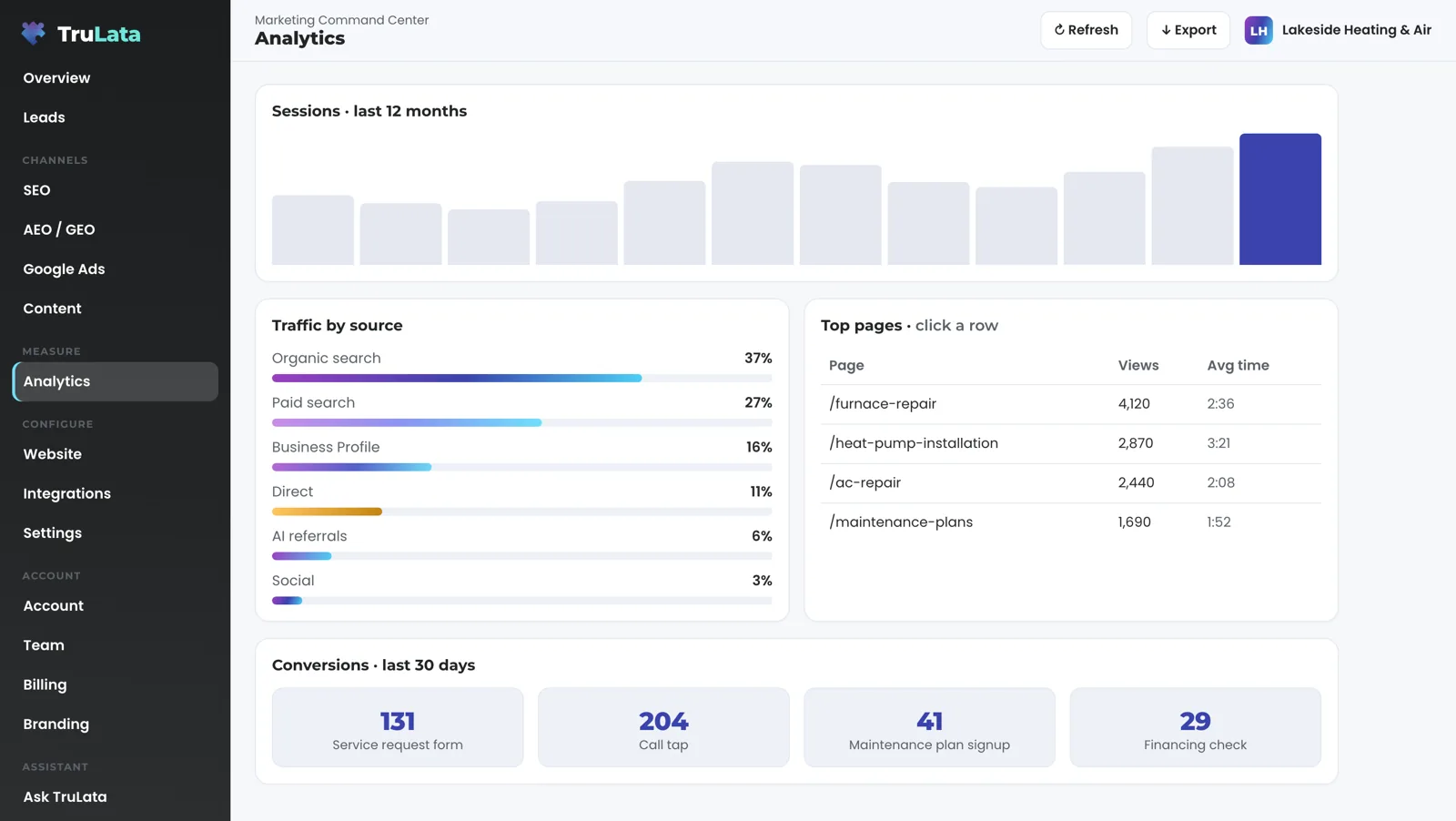
Read all three, each labelled by its source. The analytics view shows GA4 key events by name over the last 30 days, or the range you pick where the date picker is turned on. The tile reads Conversions, the older GA4 name the Data API still returns, and on a lead-generation dashboard it reads lead actions, with plain names instead of snake_case. The ads view shows conversions as Google Ads counted them, by campaign, with cost per conversion. The leads view shows the sheet, newest first, with the source the visitor arrived from where the form records it. The screen reads GA4 and Ads; the engine's writes to your ad account go through its API, within the limits set for your engagement, and land in the change history. What the screen itself writes, in full: a question to the team where that view is offered, a lead outcome, a website change request, and a content or targeting request.
Freshness differs, and the page says so. The sheet is live, written the moment a form is submitted. GA4 and Google Ads run hours behind intraday, on Google's publishing schedule, and the header stamp says how old the numbers are. Read the sheet first. Then use key events and Ads conversions to ask where the leads came from. The GA4 connection lists exactly what is read from your property and how you grant the access.
Every label, and what it counts.
| Term | Where it is used | What it counts |
|---|---|---|
| Key event | GA4 reporting interface | An event you marked as important, counted when the site tag fires it. Hours behind intraday. |
| Conversion, GA4 Data API | The API TruLata reads GA4 through | The same key event count under the older metric name. |
| Conversion, Google Ads | Google Ads interface and API | An action Ads attributes to an ad click, by conversion action, under Ads' own rules. Hours behind. |
| Lead | Your lead sheet, on the Leads view | A form your site received, written server-side at submission. Live. |
| Phone lead | Your CRM, or a call-tracking platform with an API connected during setup | Counted where the CRM records it. |
A key event can read zero on a day your forms produced leads, so TruLata shows both counts and, where your forms feed the sheet, compares them every morning at 7:20 Eastern.
Questions, answered.
Are GA4 key events the same as conversions?
In GA4, yes: key events are what conversions used to be called. Google renamed them in 2024 and kept the word conversion for Google Ads, where it means an action Ads attributes to an ad click.
Why do my GA4 key events and Google Ads conversions not match?
Because they count differently on purpose. Google Ads counts a conversion only when it can attribute the action to an ad click. GA4 counts the key event every time it fires, from any source. Expect them to differ. Either one reading zero on days the lead sheet holds leads is the case the daily watch raises.
Is a key event a lead?
A key event is what a tag counted. A lead is a form your site received, written to a lead sheet server-side at submission. The Leads view reads the sheet, and where your forms feed the sheet, the daily watch compares it with GA4 and Ads.
What happens if the tag stops firing?
The sheet keeps counting, because the form handler writes it on the server. The morning watch sees leads in the sheet and zero GA4 form events, and raises the site tag as dead.
Does TruLata change my key events or conversion settings?
Key events are configured in your own GA4 admin, and the dashboard reads them as you set them. Budget and bid changes in Ads are made within the limits set for your engagement and land in the account's own change history.
Do phone calls count as key events?
Only if a tap on the phone number fires one, and that counts a tap, not a call. TruLata counts a phone lead where your CRM records it, and where you run a call-tracking platform with an API it is connected during setup.
See how it would run
for your business.
15 minutes with TruLata. We show you what your marketing brings in, what each lead costs, and what we would change first.
Book a demo or start a 7-day free trial
No card. It ends on its own after 7 days unless you add one. See pricing.
New here? See what TruLata is. Prefer to write? Send us the one thing you want to know.
Start here: AI marketing platform · AI marketing software · all-in-one marketing platform · marketing automation software · marketing software for small business.
- Refreshed when you open itLive data on page load, never a monthly PDF
- Counted from your own formsLeads recorded server-side, compared daily with Ads and GA4
- Seen in AI answersHow often ChatGPT, Gemini, Claude, Grok, Manus, Google AI Overviews, Perplexity, Meta AI and DeepSeek name you, measured
- Every send loggedProspect emails leave from a review-first queue, and every send is logged.