

Your website, made for you in minutes. Free to build.
Tell us about your business, or give us the site you have now. The builder writes a first version from what you give it, and you change anything by clicking it or asking in plain words. Go live on your own address when it looks right.
Start your site free See a site it made
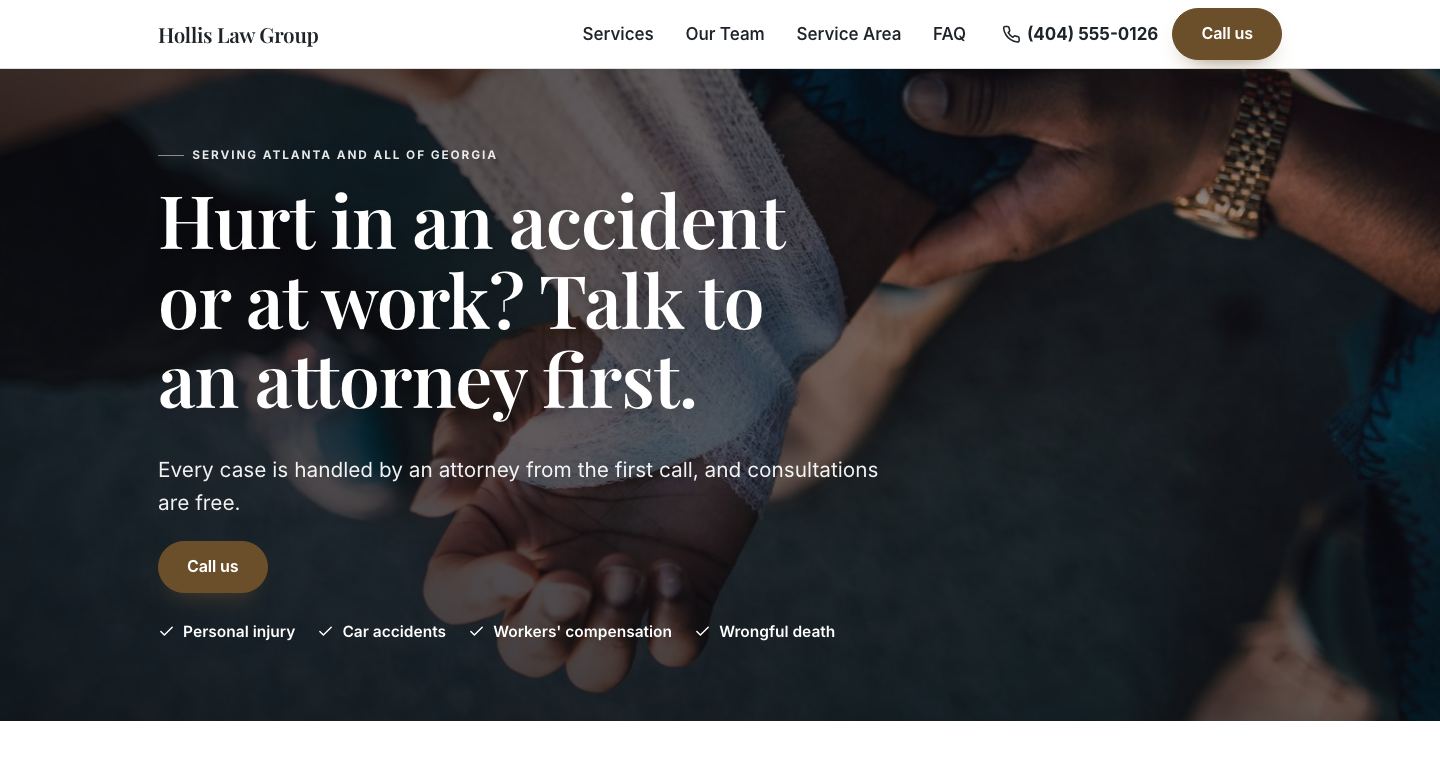
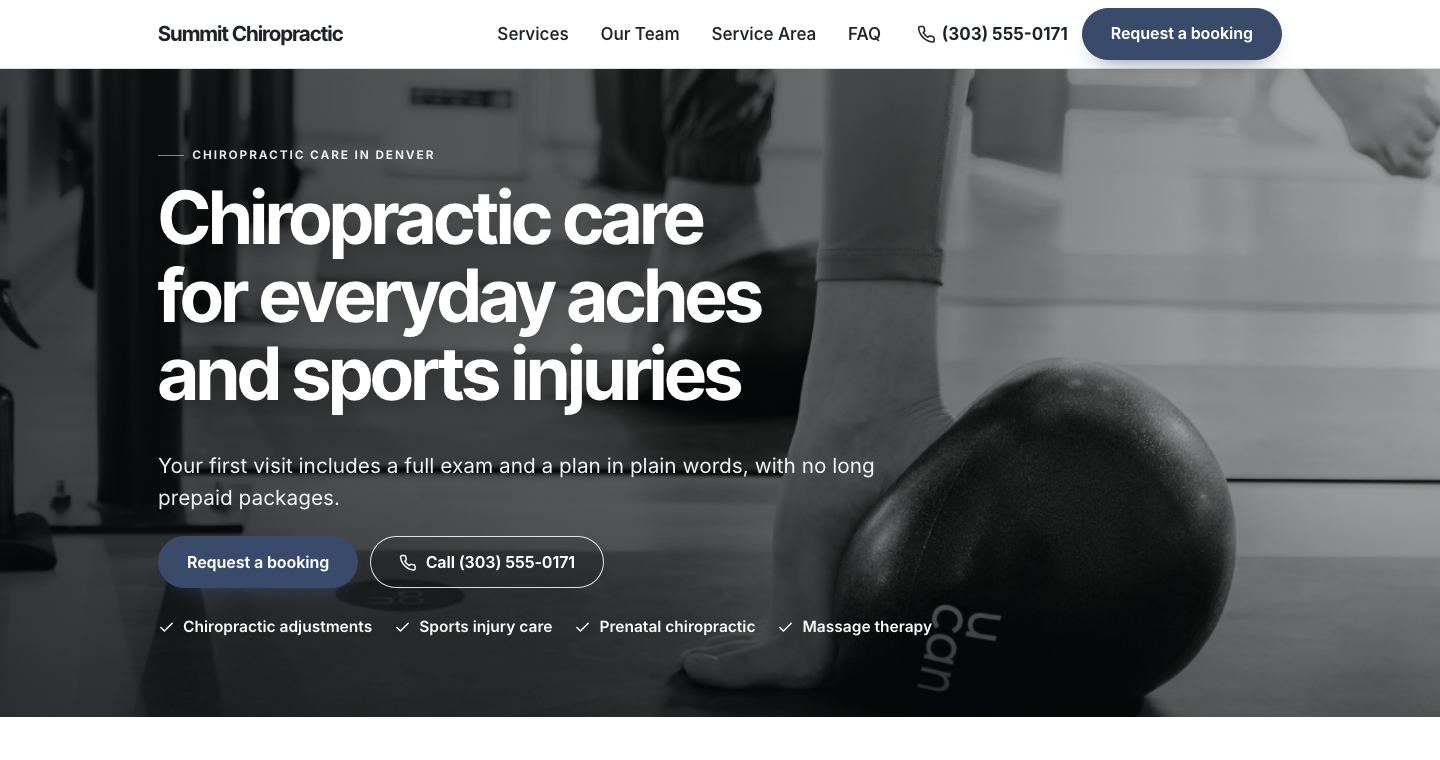
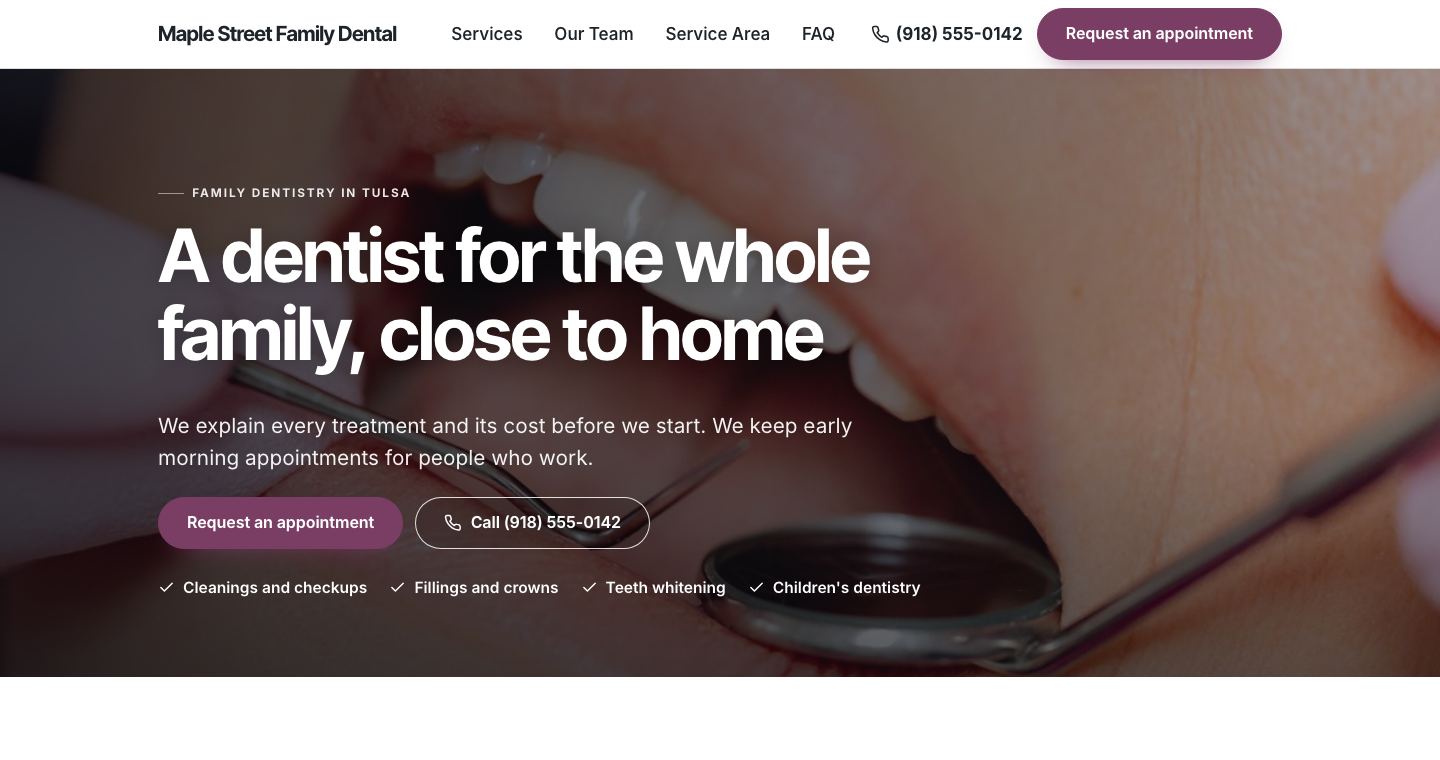
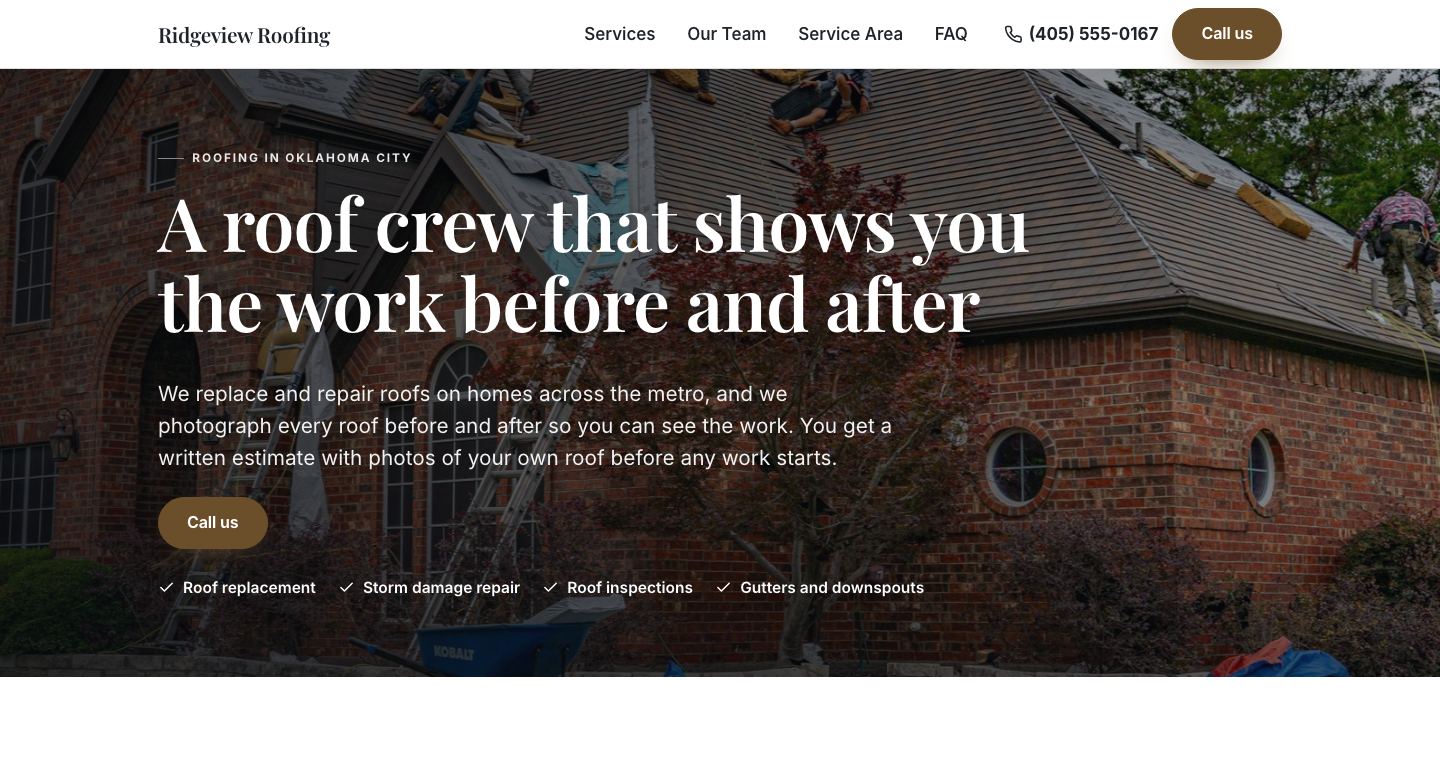
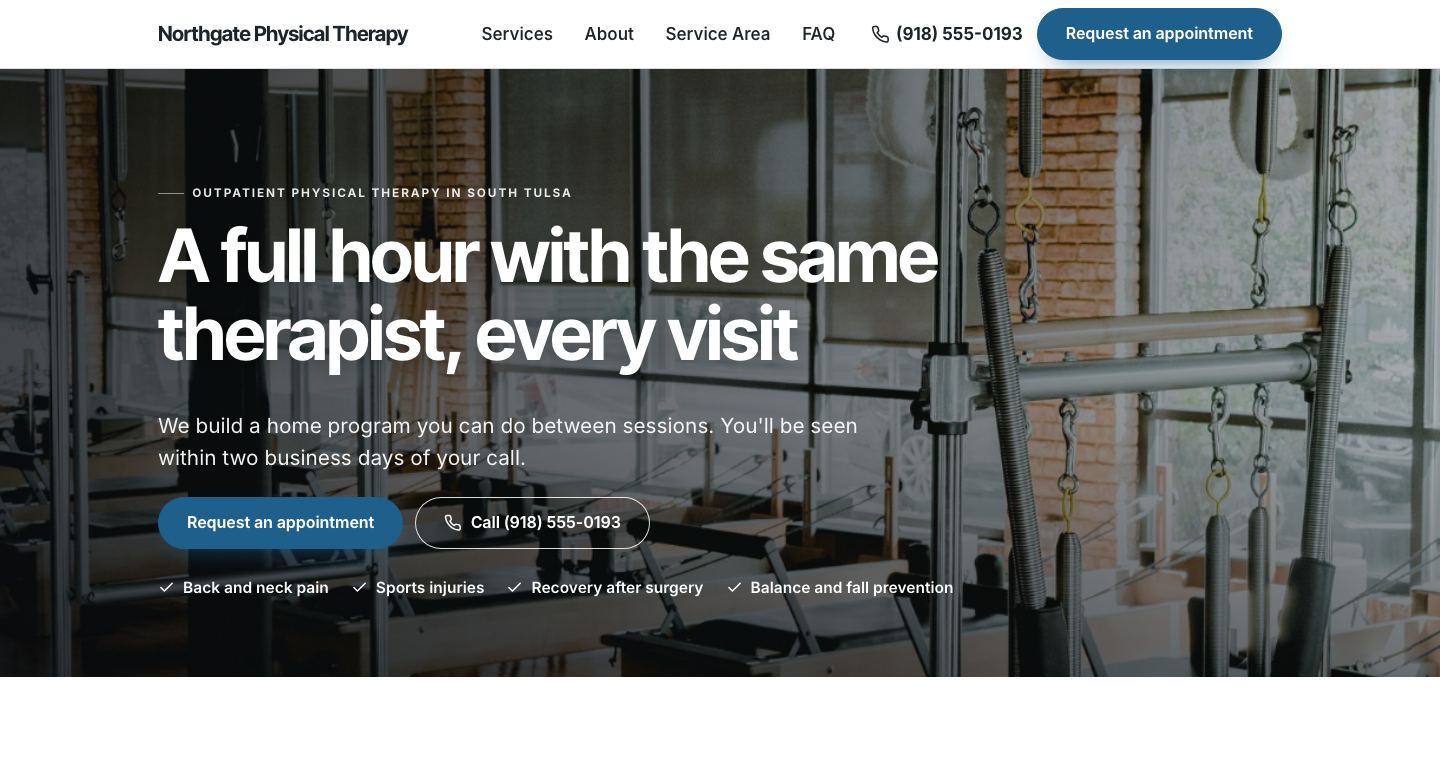
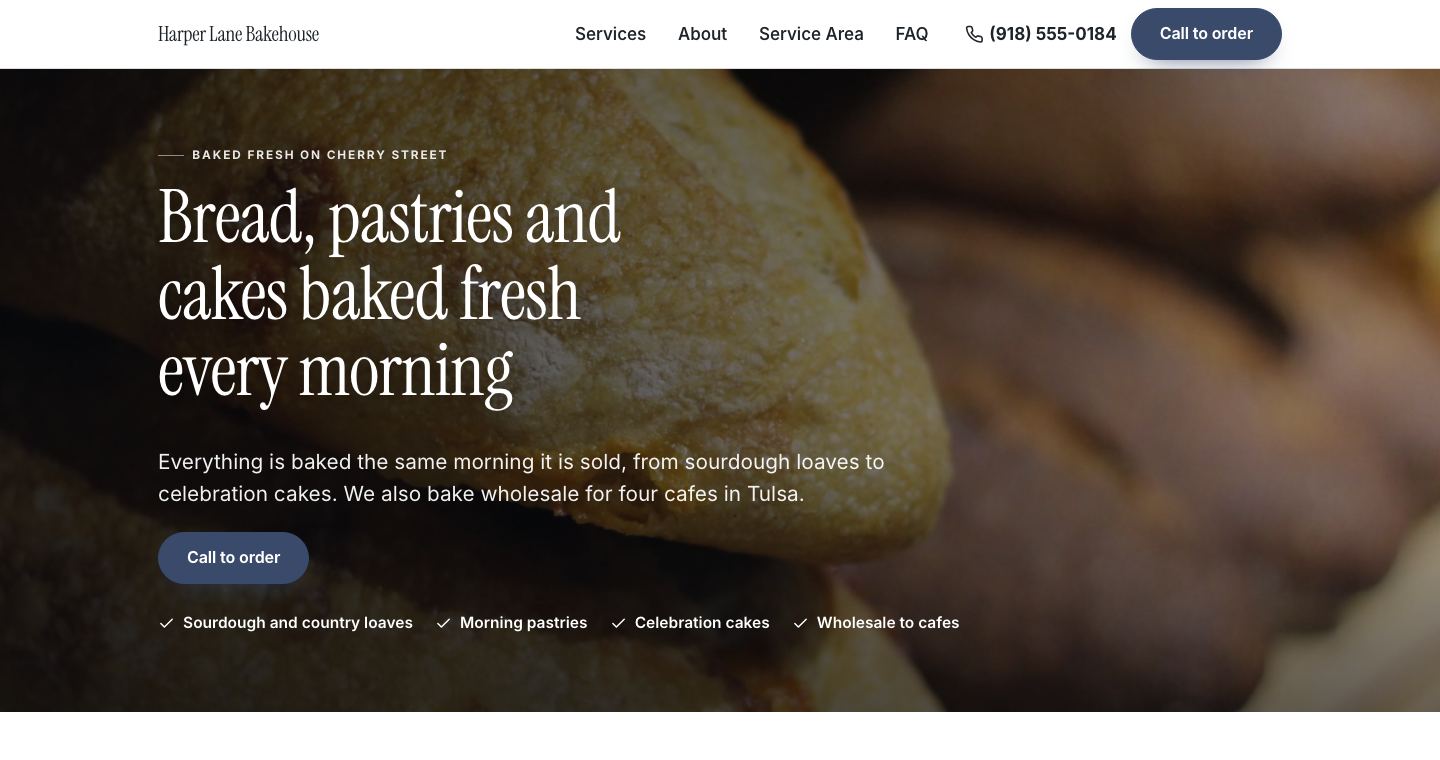
Examples, each a made-up business the builder made from its answers: a bakery, a roofer and a physical therapy clinic.

Sites it made, from a few answers.
Each is a made-up business, written and laid out by the builder from its answers. Open any of them; yours starts the same way, from your answers or the site you have now.
What would a site for my kind of business look like?
Each of these was made by the builder from one made-up business's answers, and each page shows it: roofers, plumbers, HVAC companies, dentists, chiropractors, law firms, landscapers, solar installers, pest control companies, garage door companies, fence contractors, remodelers, mold remediation companies, water damage restoration companies, pet groomers, physical therapists, bakeries, nonprofits, churches, real estate agents, handymen. Yours is written from your own answers, or from the site you have now.
What do I need to get started?
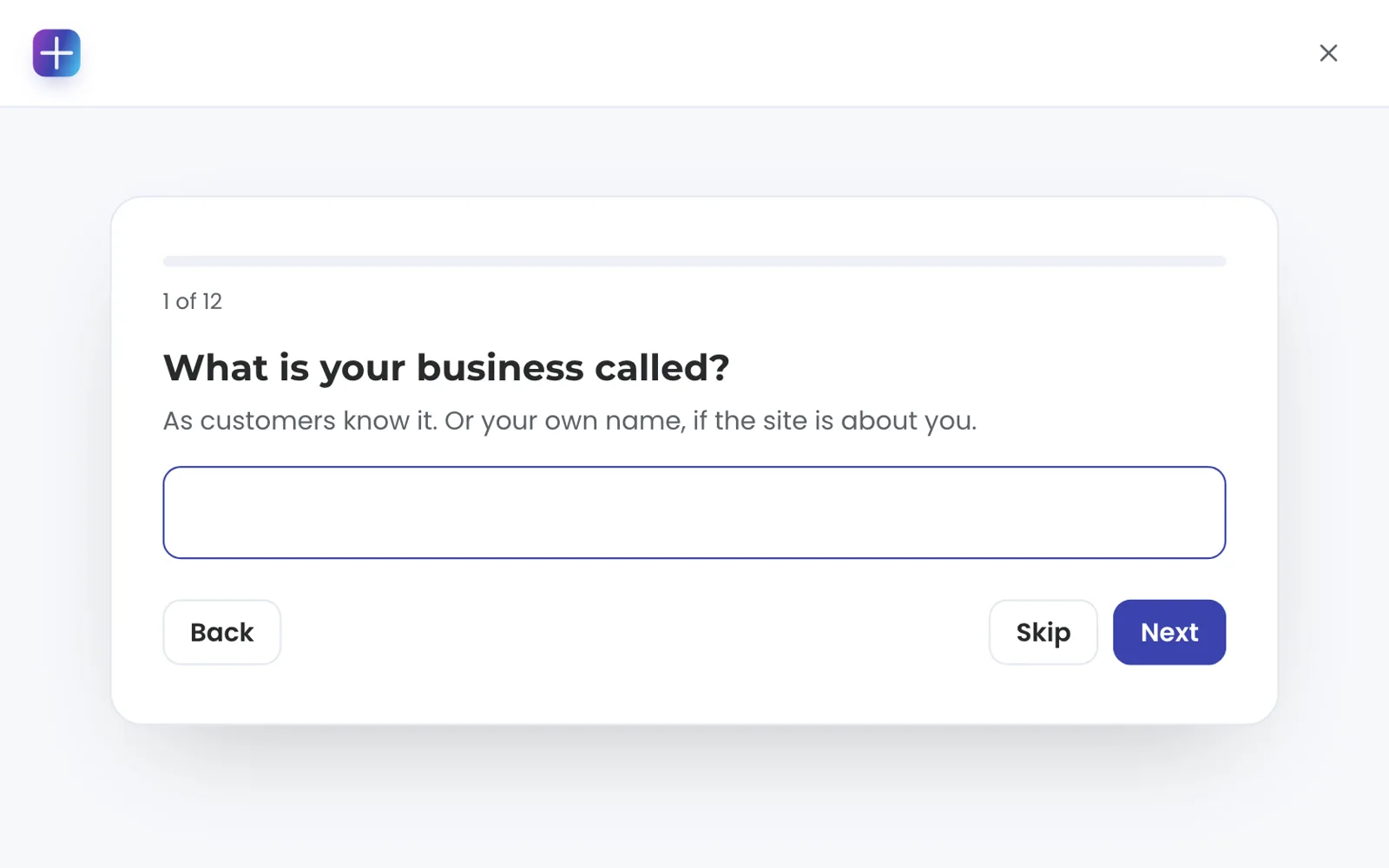
An email address. Sign in with a link we send you, then answer the questions you want to answer: what you are called, what you offer, where you work, how people reach you. Every question can be skipped. A name alone is enough for a first version, and anything you add later makes it better. Answer in Spanish, French, German, Portuguese, Italian, Dutch, Polish, Vietnamese, Tagalog, Chinese or Korean and your first version is written in that language, menus and buttons included, with the same check that keeps unproven claims off the page.
Have a site already? Give us its address. The first version reads up to 40 of its pages: your reviews, team and posts come over word for word, the rest is written from what your pages say, and forwards are set up so old links keep working. When you take a plan, the rest comes in: every other page at its old address, in your own words, with its photos. Have a Google Business Profile we manage? Your hours, photos and reviews come in word for word.

An artist, an online shop and a local service all get a site that fits.
Does it work if I do not have a shop or a phone line?
Yes. An artist, an online shop and a local service all get a site that fits. With no phone number, every Call button becomes Email or a message form. With a town and no street address, the site says where you are based and leaves out maps and directions. Tell us more if you want to: your logo and photos, how you work with a customer, the look you like and any wording your trade requires. Before the first version, pick a look from pictures and the lettering you like, shown with your own business name.
How do I change it?
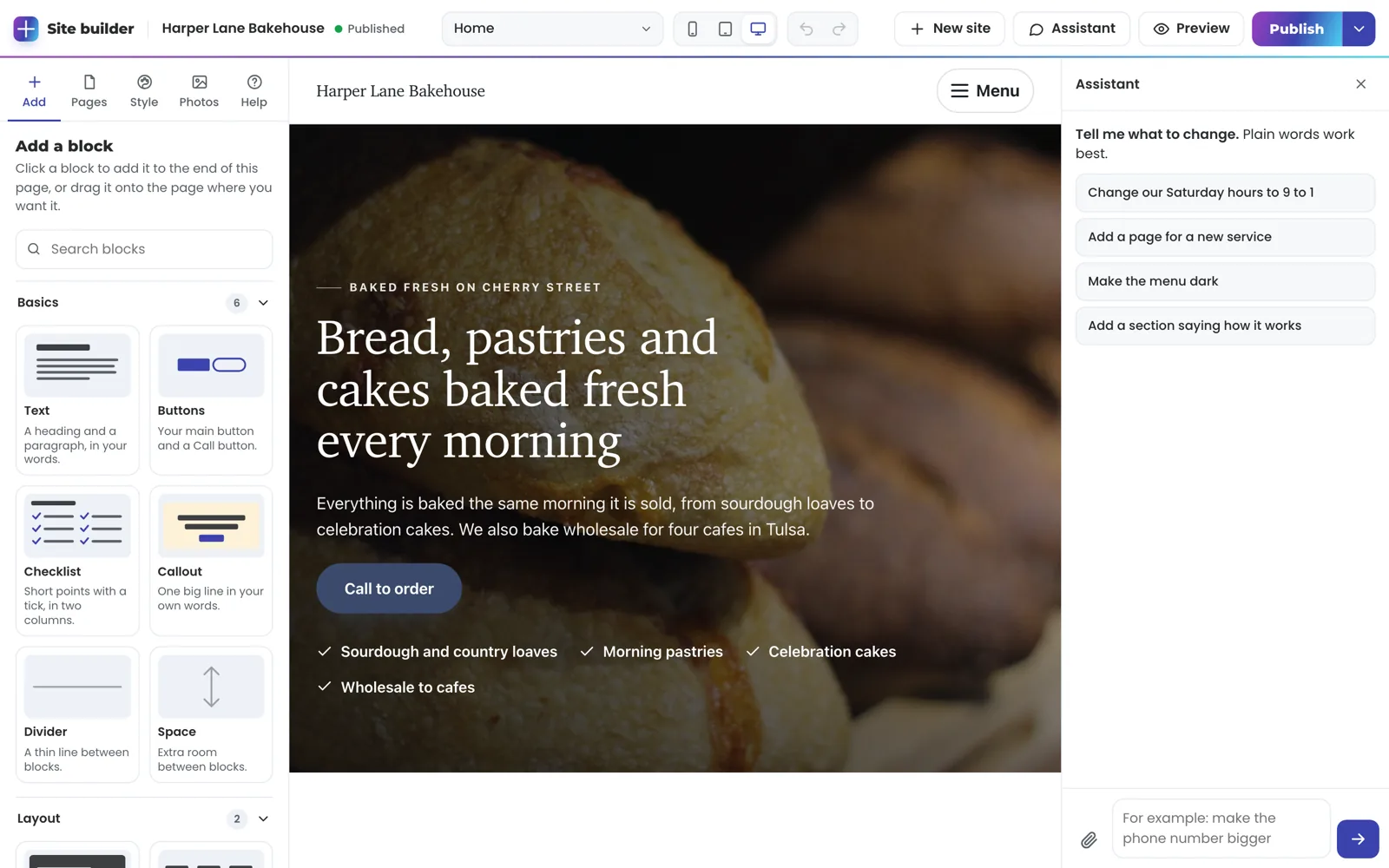
Click any words on the page and type. Drop in photos from your phone, and click a photo to swap it. Any block can have its own alignment, spacing and text size on phones. No photo that fits? Have a picture made from your words: it is made with AI in about a minute and marked that way on your site, never shown as a photo of your business. You can also restyle one of your own photos in your words, warmer light or a plain background, while what it shows stays as it is. Add blocks from a library of more than forty, in nine groups: prices, opening hours, steps, a video, a map, online booking, downloads and more. Stack blocks to give them one background and the same spacing, and they move together. Or place words, photos and buttons anywhere with a free layout: drag to move, pull a corner to resize, and lay one over another. On a phone they stack in reading order. Make cards lift and photos grow under the pointer, set a block's photos at a slight angle, or frame them with a soft shadow, a band of your main color or a white border. Make a block's photos see-through, a size smaller or larger, or move them across its edge into the next block, and draw a line of your main color around a block or a whole stack. See every page at once, side by side, and open any of them from there. Put a video behind any block: pick one from a library of free background videos, or use your own. Change the header and footer, the colors and the lettering. Pick how the top of every page looks: your logo on the left, centered, your logo in the middle, a split menu with your name between the links, or everything behind a Menu button. Turn on a cookie banner, write the words people see on a broken link, and choose the picture a shared link shows. Paste IDs for Google Analytics, Google Ads, Meta, Tag Manager, TikTok, LinkedIn, Pinterest and Microsoft, and add your own code to every page, checked by TruLata before it runs. Run a Search check: it finds pages and photos missing what Google reads, and writes them from your own words. One more button adds the questions people ask AI about your kind of business, answered only from your own pages, and another asks ChatGPT, Claude, Gemini and Perplexity what your customers would ask, to show whether they name you and who they name instead. Bing and other search engines hear the moment you publish. Booked services get a cancellation policy page from your own terms, and your booking block tells AI assistants how to book you.
Or ask. Type "make the menu dark" or "add a section on how it works" and Addy makes the change. It can do anything the editor does: move or remove a service, resize a photo, add a booking widget you paste in, or put up a Coming soon page. Say "undo that" and it does. Give it a goal, like more calls, and it works through every page and checks how each one looks. It runs your Search check and AI answers check itself, fixes what it can, and tells you when it finds something worth fixing. On a live site, ask for something the editor cannot do, like connecting your booking system, and TruLata takes it on and tells you in the chat when it is done. Every change can be undone, and the site checks itself before anything reaches your visitors.
Need a code on every page, for a chat widget or a tracking tag? Paste it into Settings as header or footer code, or ask Addy to add it. A TruLata reviewer checks it before it runs on your live site, so a pasted snippet is looked at before your visitors ever load it.
Every sentence held to a source
- Your answers
- Your current site
- Your Google listing
- Reviews appear word for word
- Results, guarantees and awards wait for a TruLata reviewer
- A rating you have not shown: Addy asks where it comes from
Can I just drag things around?
Yes. Grab any block and drop it higher or lower on the page. Hold it at the top or bottom of the window and the page scrolls with you. Drag a photo's corner to size it, drag the top photo across to put it on the other side of the words, and drag a block's bottom edge to make it taller.
Service cards, questions and the pages in your menu move the same way. Every drag can be undone.

Tell us about your business. Go live on your own address when it looks right.
Will it make things up about my business?
The builder writes from what you gave it and holds every sentence to a source: your answers, your current site or your Google listing. Reviews appear word for word, from real customers. Claims about results, guarantees and awards wait for a TruLata reviewer before they publish. If you ask for a rating you have not shown us, Addy asks where it comes from.
Cancel any time from Billing and receipts.
What does it cost to go live?
Building and editing are free. Going live on your own address is $49 a month, or $39 a month billed yearly ($468). Pick a plan, pay on our secure checkout, add the one record we show you where your address is managed, and press Go live. Your site switches on with a secure certificate, open to search engines. Cancel any time from Billing and receipts.
Once you are live, search engines hear about your changes the moment you publish: Bing and the other engines that accept instant notices are told which pages changed. And when your site takes bookings, it tells AI assistants how to book you, so an assistant asked to book a visit can find the way in.
Every message kept
- Your contact form
- Every message lands in TruLata, ready for you
- TruLata reads the same leads beside search, ads and reviews
What happens when someone fills in my form?
Your contact form sends to your own site, and every message lands in TruLata ready for you. When you want the rest of your marketing on one screen, TruLata reads those same leads alongside your search, ads and reviews. See pricing.
The builder, step by step.
| Step | What happens | Cost |
|---|---|---|
| Sign in | A link to your email, no password | Free |
| First version | From your answers, your current site or your Google listing, in a few minutes | Free |
| Edit | Click, upload, add blocks or ask in plain words; undo any change | Free |
| Preview | Your site on its own preview address while you work | Free |
| Go live | Your own address, a secure certificate, open to search engines | $49 a month, or $39 a month billed yearly |
You see your site before you pay for anything. A plan starts when you take it live on your own address.
Questions, answered.
Do I need a credit card to start?
No. Building and editing are free. You pay when you take your site live on your own address.
How much is it to go live?
$49 a month, or $39 a month billed yearly ($468). Want our team to build it for you? Get in touch.
Can I use my own web address?
Yes. Type it in, add the one record we show you where the address is managed, and press Go live. A secure certificate is set up for you.
What if I do not have a website or a phone number?
Answer what you can. A name is enough to start, and the site offers email or a message form wherever a Call button would go.
Can I cancel?
Yes, any time, from Billing and receipts in the builder.
Can someone else at my business edit it too?
Yes. People with an owner or admin seat at your business can edit and publish; a member seat can look without changing anything.
Your site,
made in minutes.
Building is free. Go live on your own address for $49 a month, or $39 a month billed yearly.
Start your site free Have us build it
Want the rest of your marketing on one screen? See TruLata.
- Building is freeNo card to start; see your site before you pay for anything
- $49 a month to go liveOr $39 a month billed yearly, on your own address
- Any businessEvery question optional; no phone or street address needed
- Want us to build it?Get in touch and we will scope it with you