

New posts land on your WordPress site, on the cadence you set.
The content engine publishes through the REST API your site already exposes, with one WordPress user and an application password, and your site stays as it is. Approve each piece first or let the cadence run hands off, and see your site's status on the Website view.

What do I need to connect my site?
One WordPress user with publishing rights, plus an application password for that user. Issue the password from the user's profile inside WordPress. It is separate from the login password, and you can revoke it there at any time. Our team stores the credential during setup and tests it before anything is written. The test tells a firewall block from a wrong password, and both from a page that answers but is not the REST API, so a bad connection is named before it costs a post.
Your site keeps running exactly as it did. The connection is one user and one application password, and your plugins, your theme and your sign-in stay untouched.
- One WordPress userWith publishing rights
- An application passwordIssued from that user's profile, separate from the login password, revocable there
- Tested before anything is writtenA firewall block, a wrong password and a page that is not the REST API are each named
What lands on my site when a piece publishes?
A finished post: title, body, and the featured image uploaded to your media library and attached. The piece has already passed research, writing and the draft stage, and a person on your TruLata team, or the standing instruction set for your account, has approved it. It goes up as published, not as a WordPress draft, because approval is the review. The post's ID and address are recorded against the piece, your TruLata team is told, and the Content view shows it as posted with a link to the live post. If your site refuses the request, the piece drops back to approved for a retry, so the work is kept.
Every external link is checked before publish. A dead link becomes plain text. A piece with more than half its citations dead is held, not published. If the check itself fails to run, the piece publishes and the failure is logged for the team.
Do I approve every post, or does it run on its own?
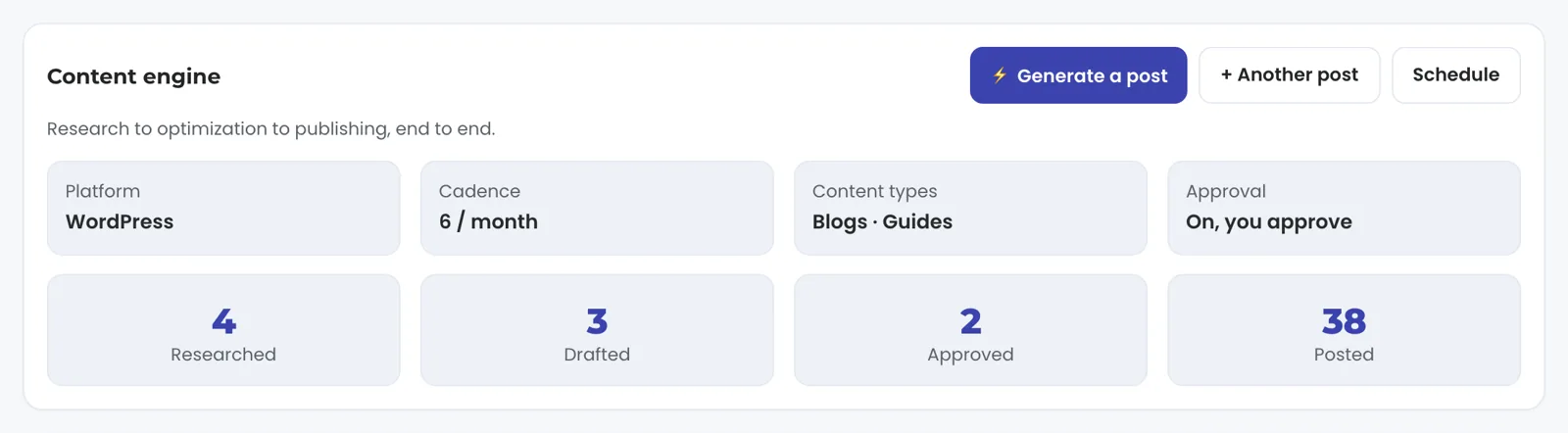
Either, and it is set per client. You set the number of blogs, research papers and press releases a month with us, and those pieces are queued at the start of each month. With approval on, each draft waits for a person before it publishes, and the Content view shows what has gone up. With hands-off publishing on, the runner picks a topic biased toward the service your existing posts cover least, researches and writes it, attaches the image, publishes live and reports.
Hands-off publishing is an explicit allowlist. A client who wants to read every post first keeps approval on. Before each hands-off run the connection is tested again, so a firewall that has started blocking the API is caught that day rather than after a season of silence, and the research and writing cycle is saved for a post that will land. Every piece is also filed as a Google Doc in a Drive folder kept for your account, as it is written. The content engine, and this connection with it, is on Launch, Growth and Command.
Set per client
- Pieces queuedThe blogs, research papers and press releases a month you set with us
- Drafts waitA person approves each one before it publishes
- An explicit allowlistTested again, a topic picked for your least-covered service, written, published live and reported
- Filed in DriveA Google Doc per piece, in your content folder

New posts land on your site on the cadence you set.
My host runs a security plugin. Will it still publish?
The blocks these plugins cause are known ones, and each has a path around it. Sucuri, Wordfence and several managed hosts block the pretty /wp-json/ path but leave WordPress's own ?rest_route= form open, so the connection is stored in that form and every call uses it. Some hosts reject non-browser clients before WordPress sees the request, so the publisher identifies itself as a browser. Some block media uploads but not posts; where your site has a separate origin address, the image upload retries there.
The featured image is re-encoded to JPEG before upload unless it carries real transparency, so your site derives its thumbnail sizes from a light file rather than a multi-megabyte PNG. If an upload is still refused, the words publish and the missing image is logged as an error for the team to fix. The post goes up either way.
Known blocks, known ways around
- The /wp-json/ path is blocked
- Non-browser clients are rejected
- Media uploads are blocked
- The ?rest_route= form WordPress keeps open
- The publisher identifies itself as a browser
- The image retries at the site's separate origin
The post goes up either way.
What do I see about my site in TruLata?
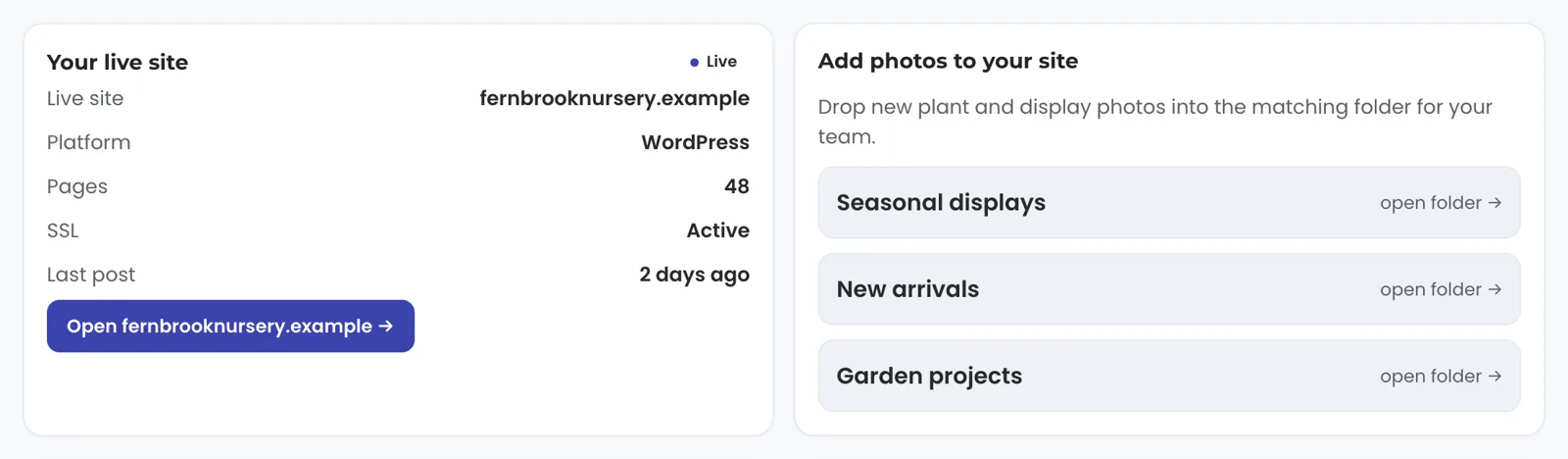
A card for your live site on the Website view, with its status rows and a button that opens the site. Beside it sit the photo folders, the change request box that sends a logged request to your team, and the list of recent updates. Those are reads and requests. Today the product writes a post from the content engine into WordPress, with the featured image that post needs, and your pages are changed by a person on your TruLata team, on request; further write paths arrive as they are built. The separate editor on the static sites we host is for those sites. Every write path from the screen is listed on the Security page; the content engine's post is the write this connection adds today.
Not on WordPress? Publishing takes your site's own path. The static sites we host slot the post into the site's data, regenerate the affected pages and redeploy, so the public site stays static. A platform with no publishing API, Squarespace for example, keeps the piece at approved until a person pastes it in and records the live address, which moves it to posted.
What the WordPress connection reads and writes.
| What | Where it comes from | How fresh |
|---|---|---|
| Posts | WordPress REST API, wp/v2/posts | On approval, after the link check |
| Featured image | Your media library, wp/v2/media | At publish |
| Credential | WordPress user with an application password | Tested at setup and before every hands-off run |
| Site status | Website view, status rows and open button | With the dashboard |
| Edits to your pages, theme, plugins or users | On request | Made by your team on a logged request |
The content engine creates posts and attaches their featured images through your site's own API. Changes to settings, pages, plugins and users go to your team as a logged request today and are made there, and further write paths arrive as they are built.
Questions, answered.
Do I need to install a plugin?
The connection is one WordPress user with an application password, used against the REST API your site already exposes, so your plugin list stays as it is.
Does it publish as a draft or live?
Live, once approved. Approval is the review, so the post is not parked as a WordPress draft waiting for a second sign-off.
Can I keep approving every post myself?
Yes. Approval is a per-client setting. With approval on, each draft waits for a person before it publishes, and hands-off publishing is switched on deliberately, per client, for the clients who choose it.
What if my firewall blocks the API?
The connection test says so, and names the firewall where it can. Clear the block by allowing the REST API or our server's address, or use the ?rest_route= form your site still answers.
Can the product change my pages, theme or plugins?
Today the product writes a new post from the content engine and the media record for its featured image. Page changes go to your team as a logged request and are made there, and further write paths arrive as they are built.
My site is not on WordPress. Can it still publish?
Yes, by the site's own path. Static sites we host publish by regenerating and redeploying. A platform with no publishing API keeps the piece at approved until a person pastes it in and records the live address.
See how it would run
for your business.
15 minutes with TruLata. We show you what your marketing brings in, what each lead costs, and what we would change first.
Book a demo or start a 7-day free trial
No card. It ends on its own after 7 days unless you add one. See pricing.
New here? See what TruLata is. Prefer to write? Send us the one thing you want to know.
Start here: AI marketing platform · AI marketing software · all-in-one marketing platform · marketing automation software · marketing software for small business.
- Refreshed when you open itLive data on page load, never a monthly PDF
- Counted from your own formsLeads recorded server-side, compared daily with Ads and GA4
- Seen in AI answersHow often ChatGPT, Gemini, Claude, Grok, Manus, Google AI Overviews, Perplexity, Meta AI and DeepSeek name you, measured
- Every send loggedProspect emails leave from a review-first queue, and every send is logged.