

What Addy does on her own, and what waits for your OK
Addy reads, drafts and organizes on her own. Anything public or that spends money, such as publishing, posting a review reply or changing an ad budget, waits until you press Approve.
#What she does on her own
These are private to your account and spend nothing, so she just does them and tells you:
Read anything on your dashboard and refresh your numbers. Find, add and update leads, including marking one won or lost. Save your business details and what you tell her to remember. Start an article draft, including one written to answer a question AI assistants ask. Make changes to your website's draft. Draft replies to new Google reviews. Open a support ticket when a person is needed.
#What waits for your OK
Anything the public sees or that moves money: publishing an article or your website, posting a review reply, turning a campaign on or off, changing a daily budget, building a new Meta campaign, and inviting someone to your account.
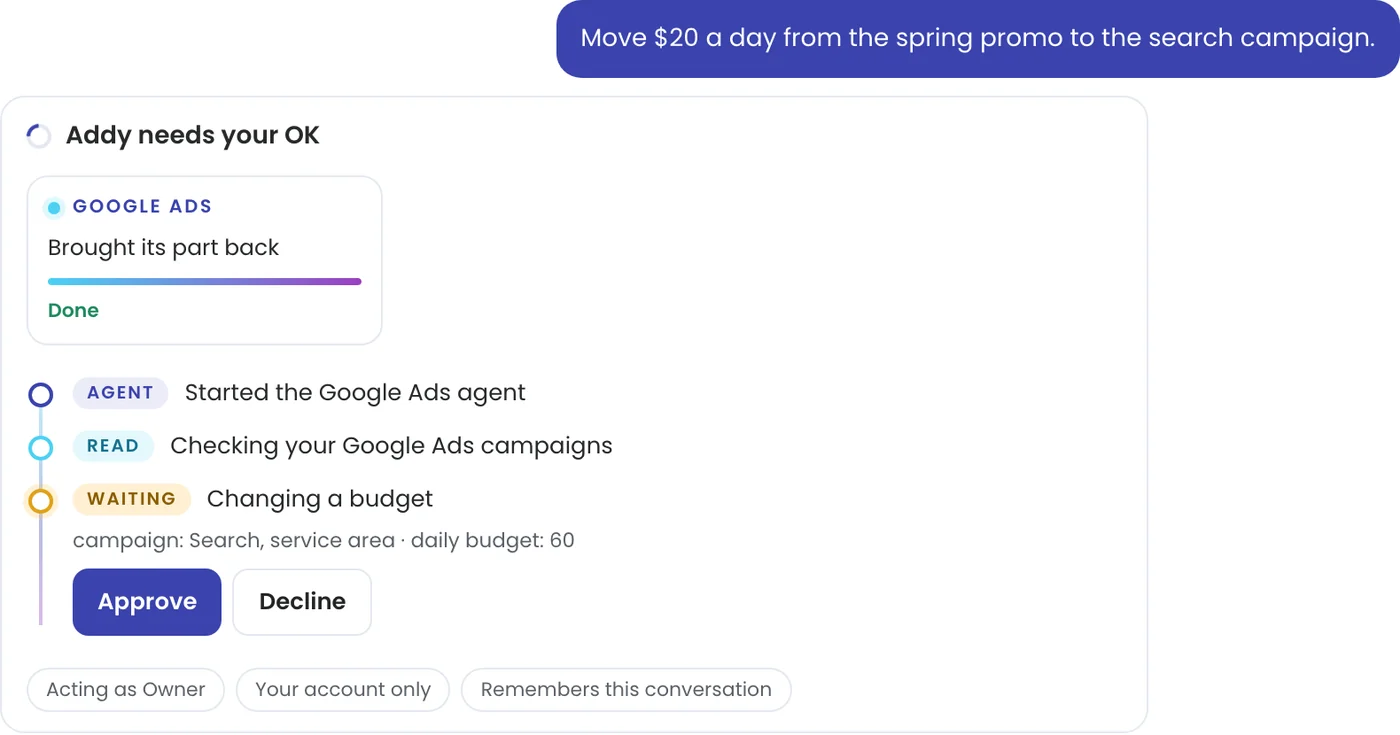
She shows the exact change on a Waiting step, such as the campaign and the new daily budget, with Approve and Decline buttons. Nothing happens until you press one. When she needs your yes on several changes at once, each change gets its own card, so you can approve one and decline another.
#Limits on ad changes
One Google Ads budget change can at most double a campaign's daily budget or add 50 dollars, up to 500 dollars a day. A bigger change is yours to make in Google Ads. Meta applies a change within 15 minutes.
#Every decision is kept
Each change you approve or decline is saved under What Addy remembers in Settings, with who decided and when, and every teammate's Addy reads it. Ad changes also show on the ad tab, with who asked and the before and after.
#Want her to act without asking?
Two optional rules on Settings let TruLata act for you: pause a Google Ads campaign that spends past your limit with no conversions, and publish your weekly article without waiting. Both are off until you turn them on. See Let TruLata act for you. To undo anything, ask Addy: turn the campaign you paused yesterday back on.
#Questions
Will Addy spend money or publish without asking me?
No. Publishing, posting, campaign status, budgets and new campaigns each wait for Approve, unless you switched on one of the rules on Settings.
Who can approve?
The owner and admins. A member can ask Addy anything and gets answers.
I pressed Decline by mistake.
Ask again. She proposes the change again and waits for your OK.
Related articles
Ask Addy in your dashboard. She answers from your own numbers, does the job for you, or opens a ticket for a person. Or email support@trulata.com and a person on our team replies.