

Ask Addy: run your dashboard by asking
Addy is in every TruLata dashboard. Ask her a question and she answers from your own numbers; ask for a change or a whole job and she does it, checking with you before anything goes public or spends money.
#Open Addy
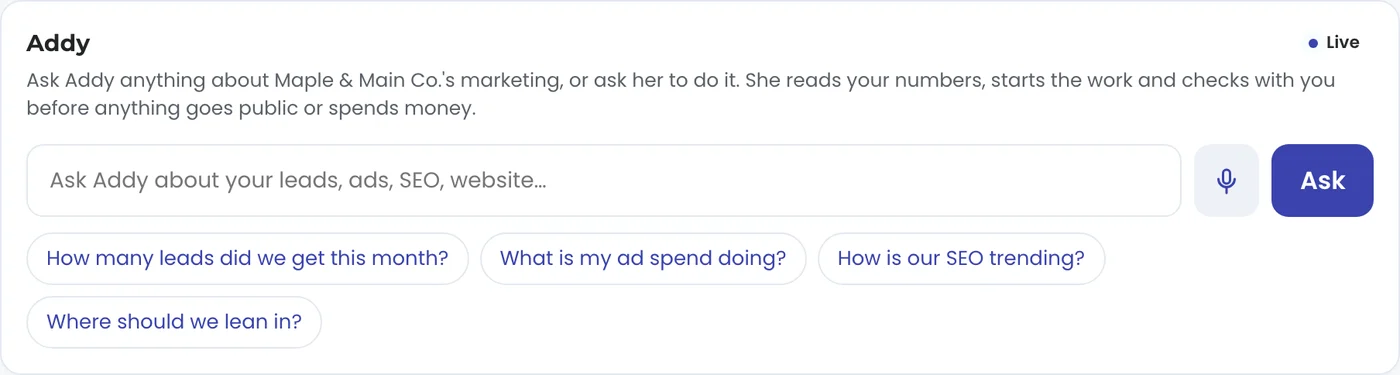
Not sure where to start? Tap one of the suggestions under the box: How many leads did we get this month?, What is my ad spend doing?, How is our SEO trending? or Where should we lean in?
- Press the Addy button in the corner of any screen, or open Addy in the Assistant group of your dashboard menu for the full tab.
- Type the way you would talk to someone on your team, for example: where did this month's leads come from?
- Press Ask, or press Enter. To talk instead of typing, press the microphone; to send a photo or PDF, press the paperclip.
#Three kinds of asks
A question. Which campaign has the highest cost per lead? Why did traffic dip last week? Addy reads your leads, ads, search, AI visibility, website, content, social, email and jobs, and answers in plain English from your own numbers.
A change. Mark the Hill Street lead as won. Pause the brand campaign. Change the phone number on our website. She makes it, and anything public or anything that spends money waits for your OK first.
The whole job. Research our three nearest competitors and draft two posts that beat them. She splits the work, keeps going in the background, and brings the result back into the same conversation.
#Watch her work
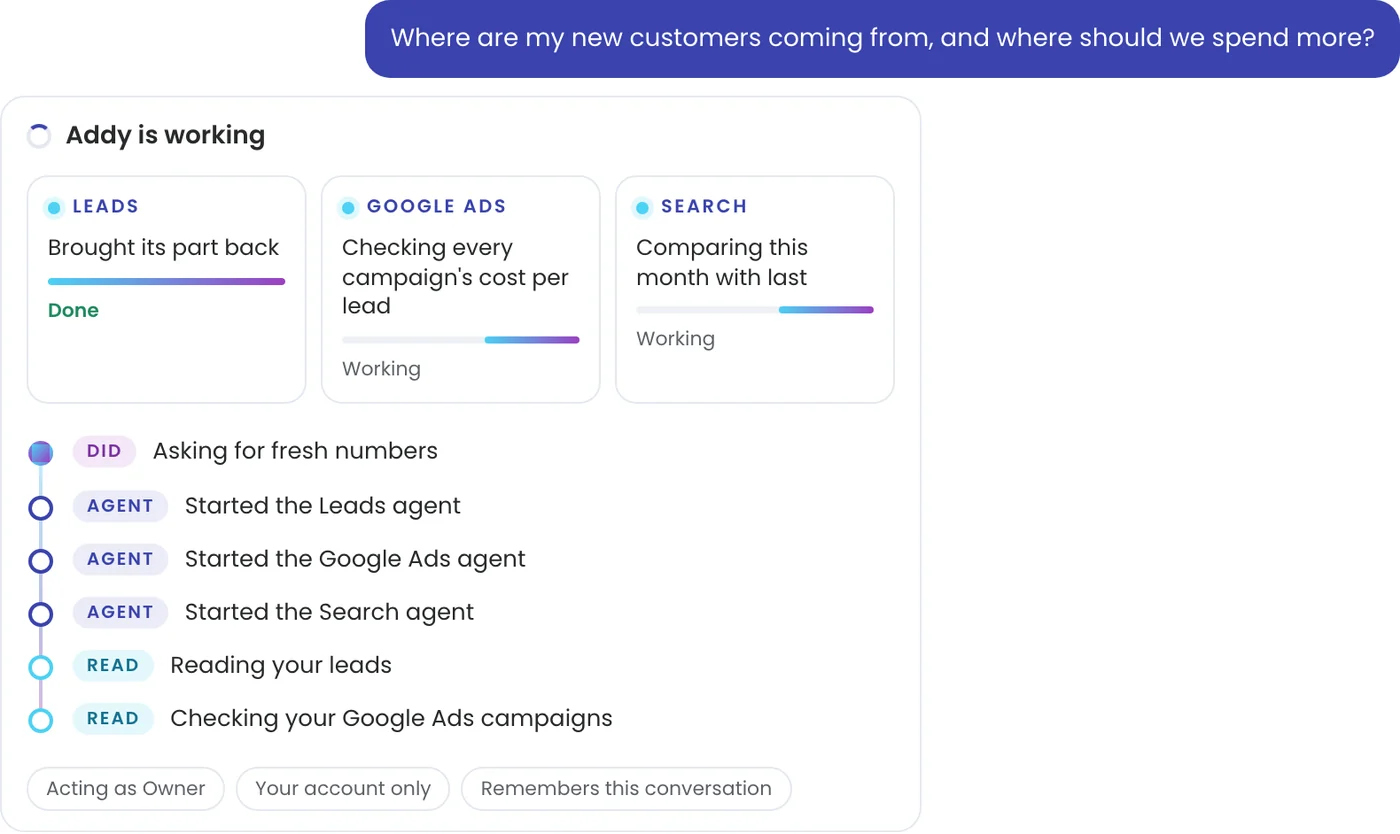
While she works, Addy shows each step as it happens: what she is reading, what she did, and anything waiting on you. A bigger job shows a card for each part of the work, marked Working or Done.
When she finishes, the answer comes first. The steps behind it fold up under The work behind it, so you can always see where an answer came from.
#Only your business, and only what you can do
Addy reads your account alone, never another business's. She acts as you: under the box you see Acting as with your role, so she can do what your role can do and nothing more. The owner and admins can have her make changes; a member can ask her anything.
She keeps your conversation, so you can come back tomorrow and say "do the same for the other campaign". What anyone on your team tells her about the business is remembered for the whole account: see What Addy remembers.
#Which plans have Addy
Addy is on all tiers. She also writes Today's briefing on your Overview each morning from your numbers, and she answers questions about any tab your plan includes.
#Questions
Is Addy a chatbot?
No. A chatbot answers. Addy answers from your own numbers and then does the work: she changes campaigns, edits your website, writes articles, drafts review replies and adds leads, and she asks for your OK on anything public or that spends money.
Can she see other businesses' data?
No. She reads your own account only.
What if she cannot do something with a button?
She takes it on in the background, the way a person on your team would, and the result comes back into your conversation. See Bigger jobs.
Can I email her instead?
Yes. See Email Addy.
Related articles
Ask Addy in your dashboard. She answers from your own numbers, does the job for you, or opens a ticket for a person. Or email support@trulata.com and a person on our team replies.