

Ask Addy about the screen you are on
Press the Addy button in the corner of any dashboard screen. She already sees that screen, so "why did this drop?" or "change this" needs no explaining.
#Open Addy from any screen
Short on words? Tap a suggestion: Explain this screen, What changed here, and why? or What should I do next here?
- Press the Addy button in the corner of any screen in your dashboard.
- Addy opens beside what you are looking at, marked Looking at with the screen's name.
- Ask about anything on it, or tell her what to change, and press Ask.
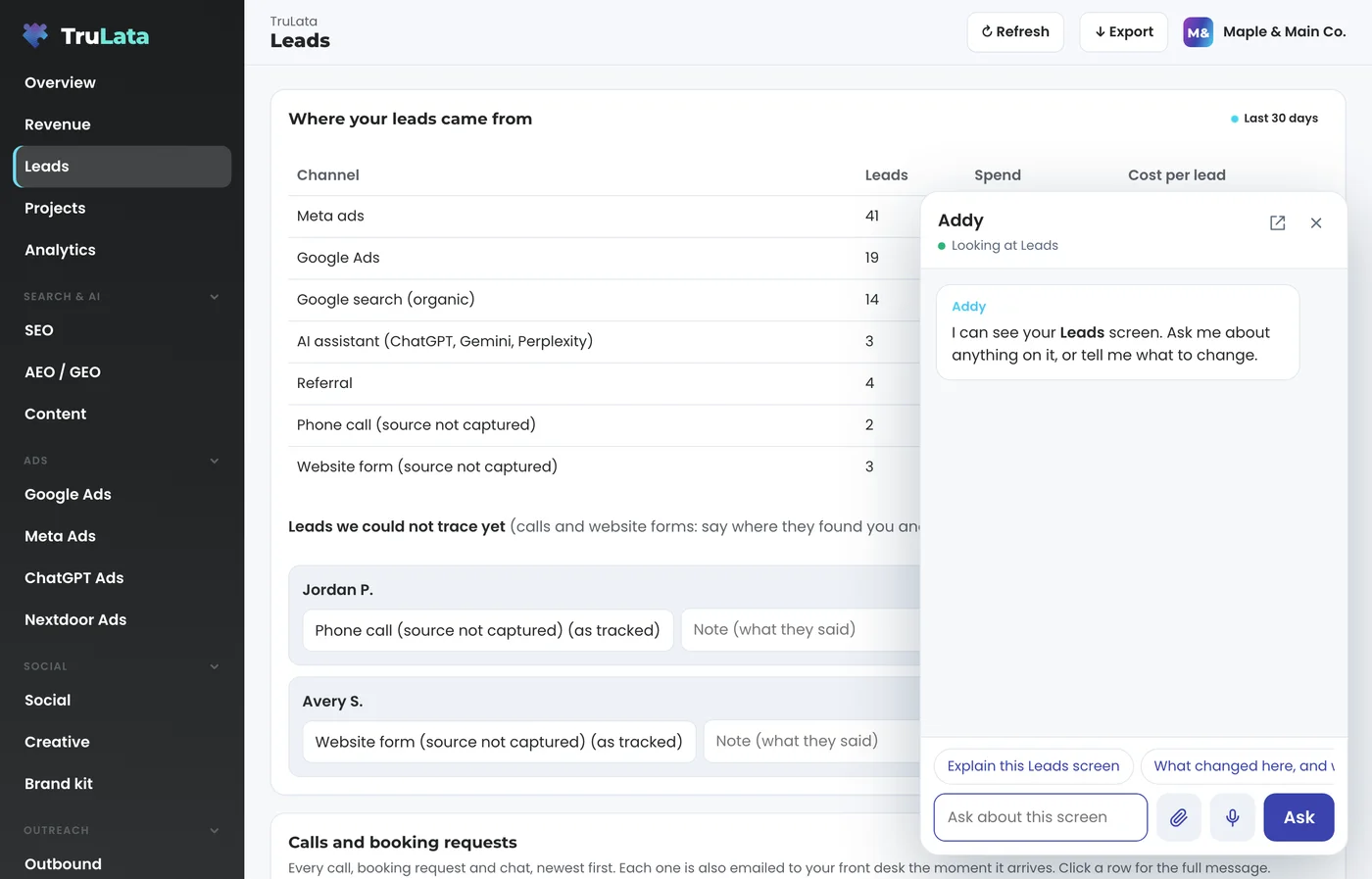
#She sees what you see
Every question carries the screen you are on, any detail you have open and the numbers showing. So on Google Ads you can just ask "why is this one so expensive?", and on a lead you have open, "mark this as won".
#Send her a file
Press the paperclip beside the box to attach up to 5 files, 10 MB each, then ask. Addy reads photos and PDFs herself, so you can say "make a door hanger like this one". Other files, such as Word, Excel or design files, go to the work she takes on in the background. For a bigger file, paste a Google Drive link in the chat.
#The same Addy everywhere
It is the same conversation as the Addy tab, with the same steps, bigger jobs, memory and Approve buttons. When she needs your yes on several changes, each one gets its own Approve card. Press the open button at the top of the panel to move to the full Addy tab, or the close button (or Escape) to put it away.
#Questions
I do not see the Addy button.
It is on every screen except the Addy tab itself, where you are already talking to her.
Related articles
Ask Addy in your dashboard. She answers from your own numbers, does the job for you, or opens a ticket for a person. Or email support@trulata.com and a person on our team replies.